[Date Prev][Date Next][Thread Prev][Thread Next][Date Index][Thread Index]
Re: [Condor-users] Problem installing condor-7.6.0 on Windows-7
- Date: Fri, 13 May 2011 10:01:20 -0500
- From: Ziliang Guo <ziliang@xxxxxxxxxxx>
- Subject: Re: [Condor-users] Problem installing condor-7.6.0 on Windows-7
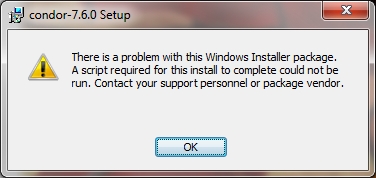
The failure of that script does not unroll the installation. You might want to check to make sure there are not two Condor instances installed. Also, is this an upgrade or a clean install? And to where were you trying to install Condor the first time?
If you ever try to replicate the issue, try starting up the MSI like this:
msiexec /L*v logfilelocation /I condor-7.6.0-winnt50-x86.msi
That will create a log file that can tell me where the failure occurred.
On Fri, May 13, 2011 at 8:33 AM, Guy Tel-Zur
<tel-zur@xxxxxxxxxxxx> wrote:
Hi Mike,
I have several disks on my computer. Initially, I installed condor on a different drive (C:) than the drive where the installer is located (F:) and I got the error message I mentioned before. Then, I installed condor on the same drive (F:) as the installer and it went fine. Now I tried, once again, to install condor on C: and it also went OK! so the problem has been solved although I don't understand exactly how.
I am using:
MSI version: condor-7.6.0-winnt50-x86.msi and OS version: Windows 7 Home Premium (64 bit)
Thanks,
--Guy
_______________________________________________
Condor-users mailing list
To unsubscribe, send a message to condor-users-request@xxxxxxxxxxx with a
subject: Unsubscribe
You can also unsubscribe by visiting
https://lists.cs.wisc.edu/mailman/listinfo/condor-users
The archives can be found at:
https://lists.cs.wisc.edu/archive/condor-users/
--
Condor Project Windows Developer